
 Keep an eye on your comments
Commenting is an important part of the two-way dialogue you want to develop with your readers. Tap into the voyeur in all of us. Make sure that people who make a comment will be notified when others comment on the same post. Also, if you open your blog to comments (which you don't have to do) you must review the comments. You will get spam. Spam looks silly on your blog. You will want to prune your blog of spam on a relatively frequent basis depending on how much traffic you get.
 Stop spam with (re)Captcha
Captcha is the tool that asks users to type in a set of letters or numbers before submitting a form. This tool is now available as a plugin for websites and blogs. (re)Captcha is captcha with a conscience. While commenters are typing in the confirmation text, they are also helping to decipher text from very old books being saved by digitizing them. If you allow comments on your blog, you will definitely want some sort of spam defense. Even though it will not eliminate all comment spam it will help A LOT.

Set up a RSS Feed
Feedburner and Feedblitz can also help you set up a feed and do all kinds of neat things with your feed. But most blogging software comes with an internal feed tool. If you've ever wondered what RSS is, it's a feed that collects articles and content from different online magazines and websites, similar to myAOL, iGoogle or myYahoo. It allows you to see the most recent headlines from CNN or Inc. or The Economist without having to visit the site. The headlines are clickable. Click on the headline and it takes you to the article. Neat! You may also want to add links to related articles that you like and want people to read also.
 Help people find archived blogs with categories
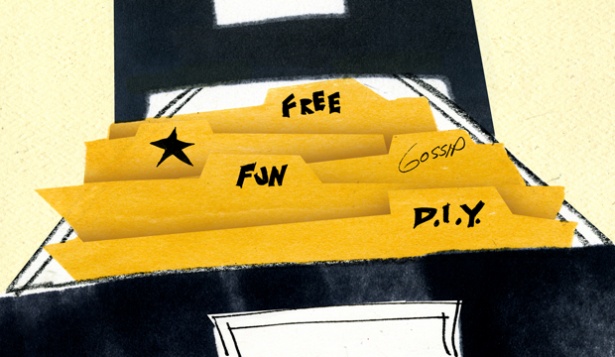
Make it easier to find things on your blog. It's great to have things organized by date but this isn't particularly intuitive to a reader who is looking to find out what you write about or looking for help or answers on a specific topic. Use categories to help readers find what they're looking for and put the categories in your sidebar. Don't be afraid to put a post in more than one category. Remember the categories are for your *reader* so make them as intuitive as possible to the reader.
 Link to your clones
Make sure that if people like your style they have ways to connect with you. Enabling them to subscribe to your RSS feed and automated e-mail update is great but how about you on Twitter? You on Facebook? You on LinkedIn? While you may not want to promote all three of these choose at least one and close that loop in the relationship with your reader.

Add language to hook your readers
Make sure to include at least one call to action statement. Provide some indication of what you want people to do if they like your blog. Just read more? Consider hiring you? Buy a book? Come see you speak? Shop at your store? Make sure they know the next step.

Get stats on your blogs performance
The same way you want to know how your website is succeeding, you'll also want to know what's working on your blog. How many page views and unique visitors are you getting? Where are visitors coming from? How do they find you in search engines? Which posts and categories are most popular? You can either use the analytics software your blog hosting company provides, or install Google Analytics. WordPress.com has its own stats tool and self-hosted WordPress has a Google Analytics plug-in that makes installation relatively simple.
 Schedule automated e-mail updates
As with most marketing, you have to do it consistently in order to maximize its value. But consistency can be awfully time-consuming. This is why we love technology! Feedburner and Feedblitz are two great tools to use that simplify your blog e-mail marketing. They both will take care of two major tasks for you: 1) enabling visitors to sign up to receive an e-mail when you make a new post to your blog; and 2) automatically send an e-mail each time someone posts to your blog.
 Download the TweetMeme retweet counter
This little tool is a quick and easy way to get your posts re-tweeted to show their popularity. Note that it doesn't work so well if your title tags are not unique.

Support your blog with good SEO
If you are considering using your blog to boost your search engine rankings, make sure your blog supports all of the features that search engines want to see in your content, such as explicit, unique title tags and good meta description tags.


